Editing a Company in the Personal Account
== Description of the Situation == A simple and convenient option for editing company information within the user's personal account has been created for SmartPlayer platform users. Now, this process of updating company information no longer requires separate requests to the technical support department.
== How It Works == To change the data related to the company, the user must first log in to the personal account. After logging in, the user should click on the person icon in the upper left corner.

By clicking on the icon, the user will open the company information window. In this window, the user needs to click on the "Edit" line.

In the newly opened window, the user can change the following list of information:
- Change the company avatar/image for the personal account
- Company name
- Linked email
- Change password
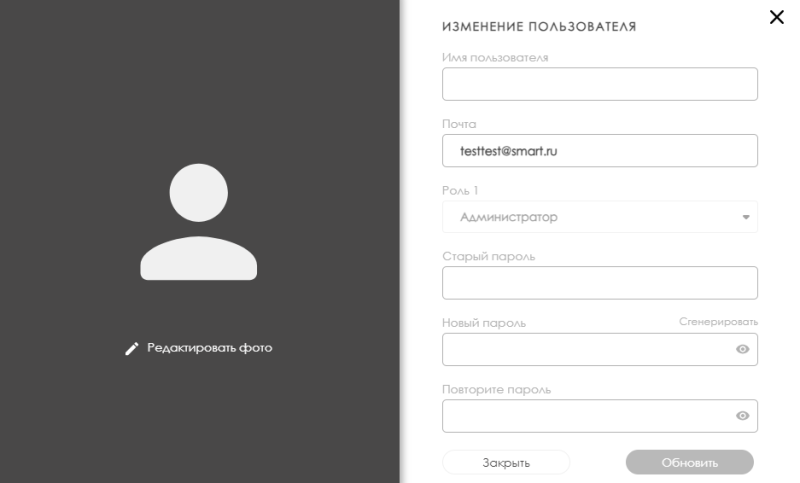
Example of the editable company information

To complete the editing process, the user needs to click the "Update" button. If the changes were made accidentally, the user can click the "Close" button to discard the current changes.

Видеоинструкция
Editing a Company in the Personal Account
Additional Information
If this article does not help you use the functionality as intended, or if you have any questions after reading it, you can ask them in the "Discussion" section at the top of the page.

